« Previous in AC:WW Journal | Dead spot testing failure | Next in AC:WW Journal »
In late December of this past year I began to test for “dead spots” in my town — spots where trees should grow if they meet all the rules for tree growth (not being too close to anything else, not too many trees in the acre, etc.), but trees will never grow there simply because it’s a designated dead spot so that neighbors will have room to walk around without bumping into tons of trees. I’ve wanted to do this for a very long time, it would be amazing to know all the dead spots in my town so that I could plan the best possible spread of trees.
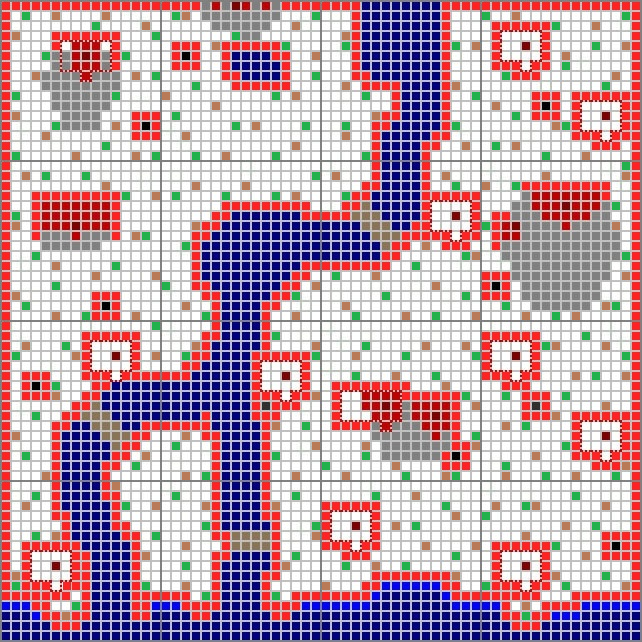
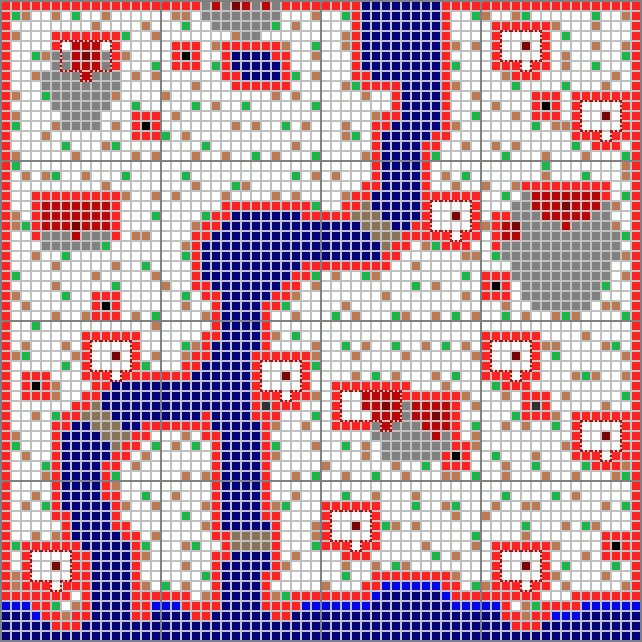
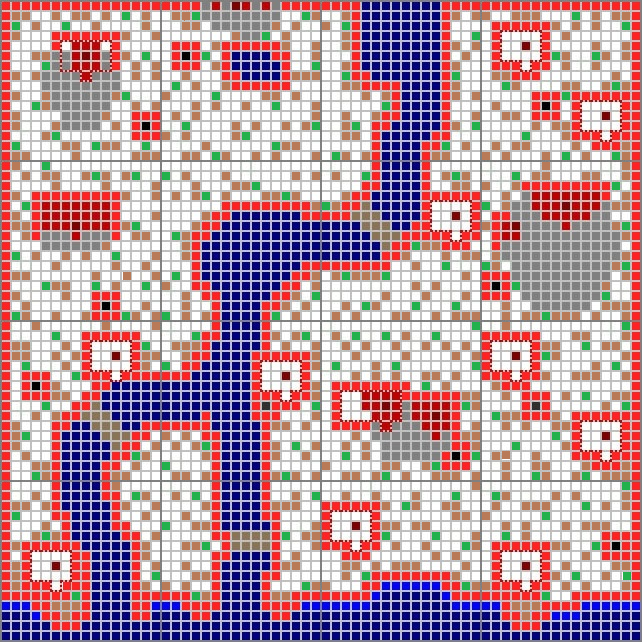
First I marked spots red that seemed unlikely locations for trees to grow and impractical places to have trees anyway. Then I marked green spots where I would plant trees for each day to test for dead spots. The green spots for one day turn to brown the next; once I finish the dead spot testing for each day I mark the found dead spots red and leave the spots brown where trees grow. But there aren’t any dead spots recorded in the following maps because of a problem I ran into with the gridded map I was using to plan my trees (more on that later).
 Day 1 |
 Day 2 |
 Day 3 |
 Day 4 |
 Day 5 |
 Day 6 |
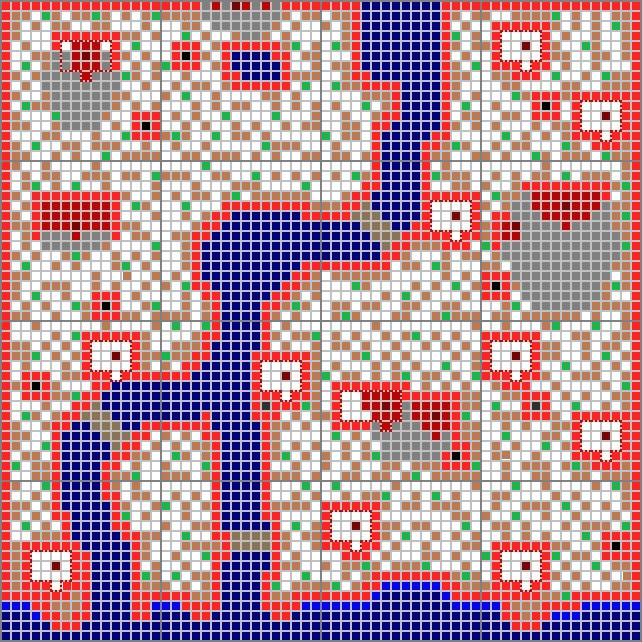 Day 7 |
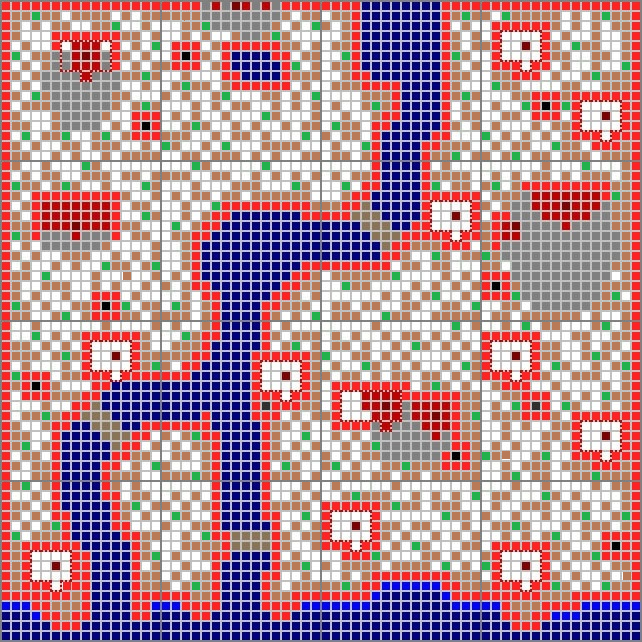 Day 8 |
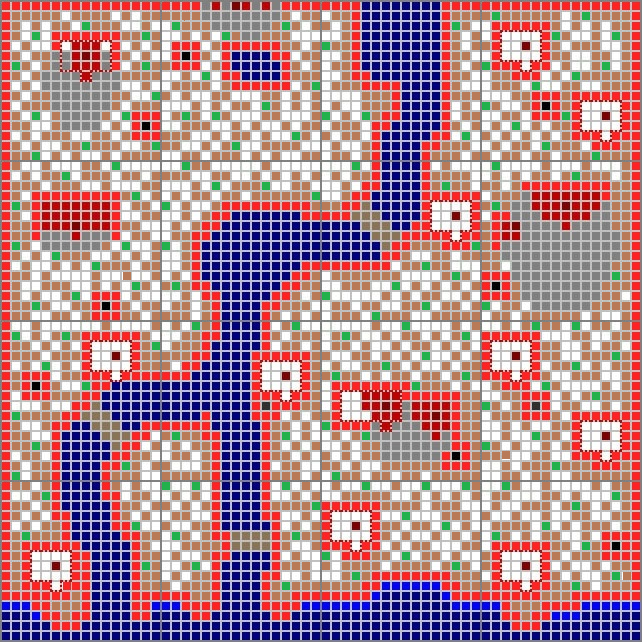 Day 9 |
 Day 10 |
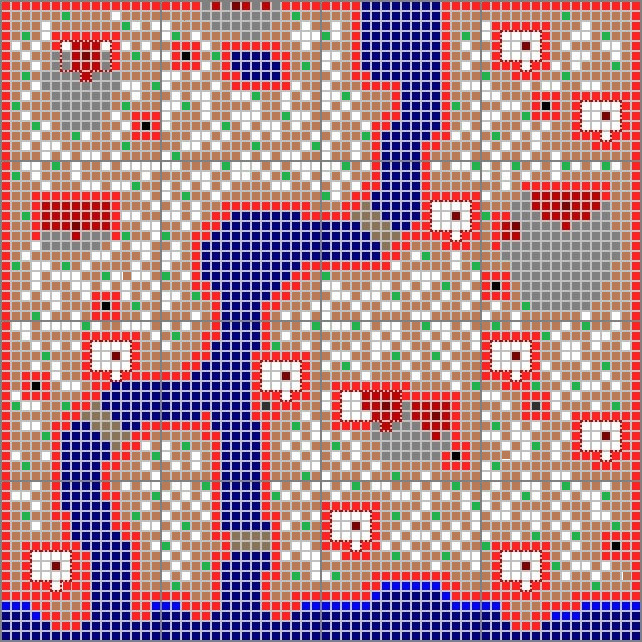 Day 11 |
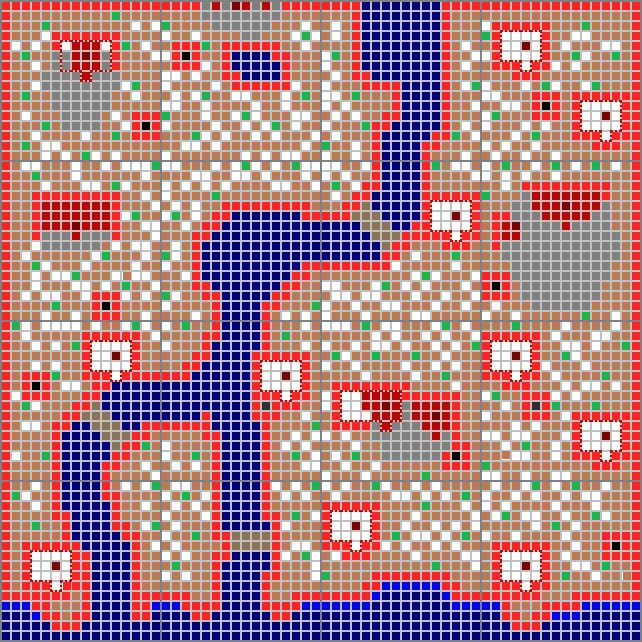 Day 12 |
 Day 13 |
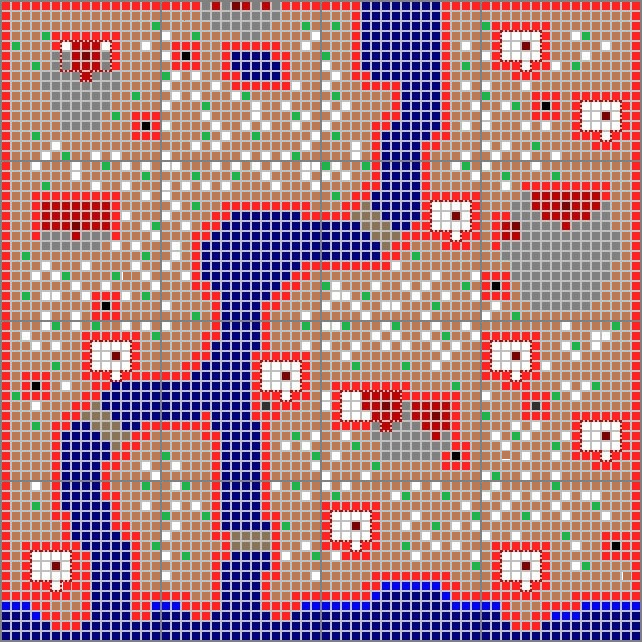 Day 14 |
 Day 15 |
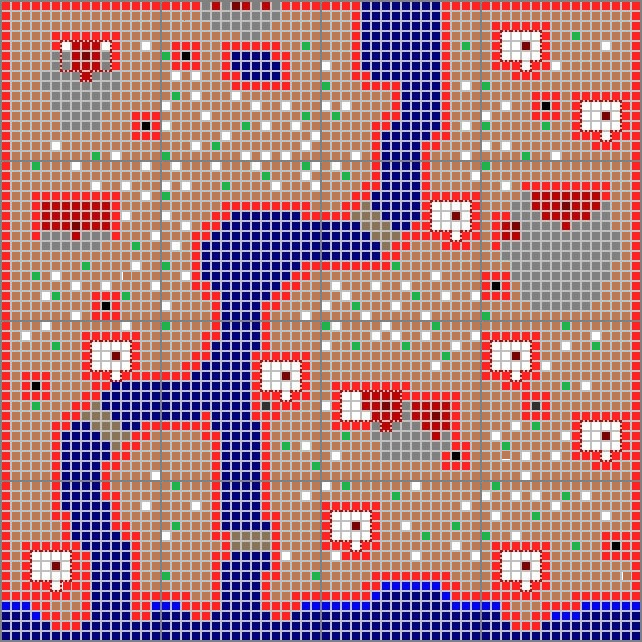 Day 16 |
 Day 17 |
 Day 18 |
 Day 19 |
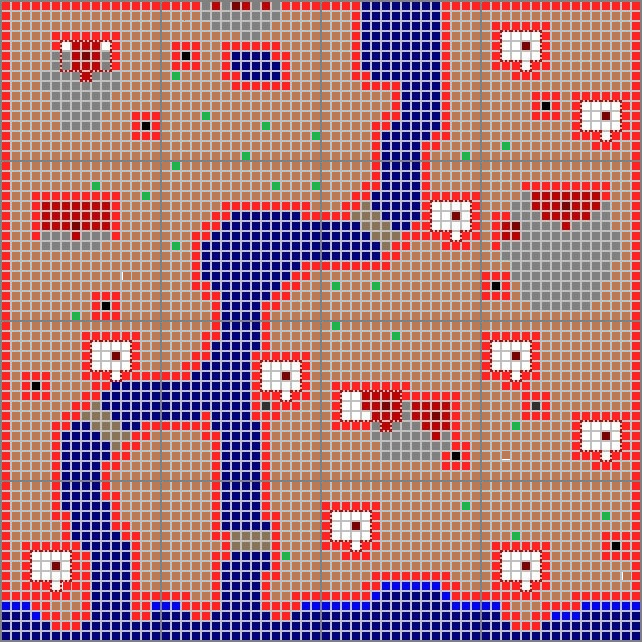 Day 20 |
If I had completed the testing, day 21’s map would have a complete recording (in red squares) of all the dead spots in my town. But I never got that far because I ran into a problem with my gridded map. >_< First of all, you can create these gridded maps using Sarouk’s town map generator, an extremely useful tool. But when I was counting spaces I found a mistake in the upper righthand corner acre of my town, which is identified as acre 15-M1 on the site:
And this is what it should look like, with the bottom house shifted one space down: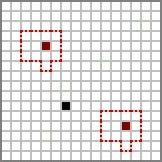
This messed up my dead spot testing because it’s like a domino effect: the places I planned to plant trees on day 1 affect where I plant trees on day 2 and so on.
I’ve had problems with this acre before; when I first made a gridded map for my town I accidentally selected a similar acre, 14-M1. 😛
I didn’t want to start dead spot testing again until I was absolutely sure that my map had no more mistakes, so I worked on creating my own gridded map: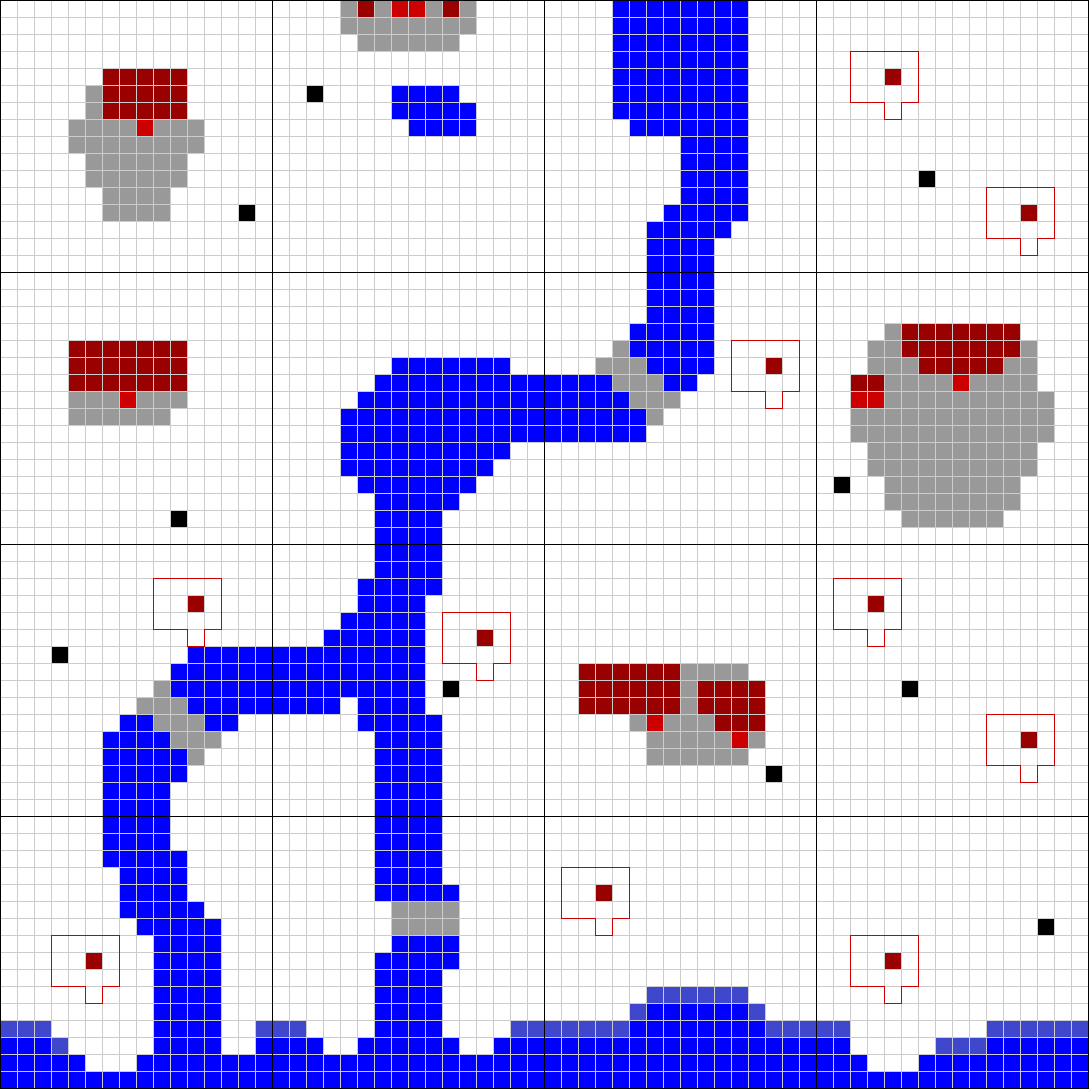
Which is exactly the same as my previous map with the mistake in upper righthand corner acre fixed — go figure. 😛
Edit: At second glance, the gate pavement in my self-made map is a bit different, so I found another small mistake.
But at least I’m confident there are no more mistakes in my gridded map, so I won’t run into problems with any future projects. Plus my self-made gridded map is a .png image, which is useful for quickly filling in spaces with color-coded squares.
I know this isn’t my usual sort of post, but I just wanted to explain why I didn’t complete dead spot testing even though I mentioned I was in the middle of it in my last post. 🙂 Instead of resuming dead spot testing I’m going to prepare my town for a Wifi party I plan to have on my birthday.
« Previous in AC:WW Journal | Dead spot testing failure | Next in AC:WW Journal »
Leave a comment
 A Forest Life